The difference between a frantic, stress-filled morning and a calm, productive start often comes down to one simple moment: how you wake up. We have all been there—fumbling for a smartphone in the dark, snoozing for the fifth time, or worse, sleeping through the alarm entirely because the battery died overnight.
While traditional bedside clocks have their charm, and smartphones are ubiquitous, there is a growing case for the online alarm clock. Whether you are a remote worker who needs a desktop prompt to start the day, a student pulling an all-nighter with your laptop open, or simply someone who sleeps through phone alarms but can’t ignore a computer blasting techno at full volume, browser-based alarms are lifesavers.
They require no installation, often work offline once loaded, and offer customization options that put standard hardware clocks to shame. From solving math problems to streaming your favorite YouTube playlists, the modern web-based alarm is a powerful tool for mastering your morning routine.
In this guide, we dive deep into the 10 best online alarm clocks available today. We have tested them for reliability, volume, feature sets, and ease of use to ensure you never miss an important meeting (or a sunrise) again.
The Psychology of the Wake-Up Call
Before we jump into the tools, it is worth noting why the type of alarm matters. Sudden, jarring noises trigger a spike in cortisol—the stress hormone. This “fight or flight” response gets you out of bed, but it can leave you feeling groggy (a phenomenon known as sleep inertia).
Many of the online clocks listed below offer progressive wake-up options or nature sounds, aiming to pull you out of sleep cycles gently. Others rely on cognitive engagement—forcing you to solve a puzzle—which kickstarts your brain’s prefrontal cortex, effectively banishing the urge to snooze. Knowing what kind of sleeper you are is key to choosing the right tool.
1. vClock: The Versatile Standard
Best For: The everyday user who wants reliability without the fuss.
vClock is often the first result you see when searching for online alarms, and for good reason. It strikes a perfect balance between simplicity and functionality. The interface is clean, displaying a large digital clock face that is easy to read from across the room.
Features
- Customizable Interface: Change the background color and clock size.
- Multiple Alarms: Set different times for different days.
- Sound Variety: Choose from classic beeps, bells, or upload your own sound file.
- Night Mode: Dims the screen to prevent blue light exposure while you sleep.
Pros and Cons
- Pros: Very intuitive; works offline once the tab is open; “anti-snooze” features are effective.
- Cons: Requires the browser tab to remain open (a limitation of most online clocks); ads can clutter the sidebar.
User Experience
“I use vClock on my work laptop when I’m traveling. It’s louder than my phone and I like that I can set it to wake me up with a specific MP3 file—usually something upbeat to get me moving.” — Sarah T., Digital Nomad
2. Kukuklok: The “Swiss” Alternative
Best For: Minimalists who appreciate quirky design.
Kukuklok bills itself as the “Swiss Army Knife” of online alarms, though it is actually much simpler than that moniker suggests. Its design is charmingly retro, featuring a bright yellow background and a simple analog or digital display. It feels like a friendly utility rather than a piece of software.
Features
- Unique Sounds: Offers a distinct “Cockerel” (rooster) sound, a classic alarm clock ring, electronic sounds, and even a heavy metal guitar riff.
- Simplicity: No advanced settings to get lost in. You set the time and hit the button.
Pros and Cons
- Pros: Extremely lightweight; loads instantly; the “Military Trumpet” sound is genuinely impossible to sleep through.
- Cons: Lack of customization (no background changes); no recurring alarm features.
User Experience
“Kukuklok is my backup. If I have a flight to catch, I set my phone, but I also leave my laptop open with Kukuklok set to the ‘Classic Clock’ sound. It’s jarring, but it works every single time.” — Mark D., Frequent Flyer
3. AlarmDJ: The YouTube Integrator
Best For: Music lovers who hate generic beeps.
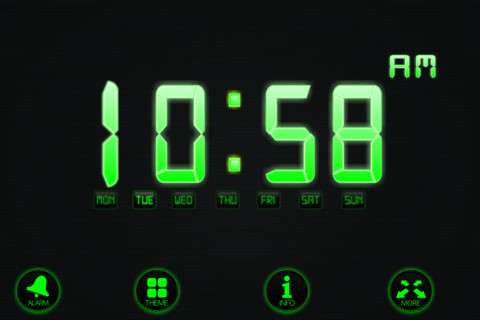
Waking up to a generic buzzer is miserable. AlarmDJ solves this by essentially acting as a wrapper for YouTube. You can curate your morning vibe perfectly, whether that means waking up to lo-fi hip hop, heavy metal, or a motivational speech.
Features
- YouTube Search: Search for videos directly within the app interface.
- Playlist Support: Don’t just pick one song; pick a whole playlist so the music keeps going while you get ready.
- Visuals: Because it uses YouTube, you also get the video component, which can act as a nice visual light source in a dark room.
Pros and Cons
- Pros: Infinite sound library via YouTube; visually appealing interface; great for setting a mood.
- Cons: Dependent on your internet connection (if WiFi drops, the video won’t load); dependent on YouTube’s API (sometimes ads might play before your song).
User Experience
“I created a ‘Morning Hype’ playlist on YouTube and synced it with AlarmDJ. Now I wake up to my favorite tracks instead of a panic-inducing buzzer. It completely changed my mood in the mornings.” — Jessica L., Student
4. OnlineClock.net: The Original
Best For: Nostalgia seekers and those who need visual aids.
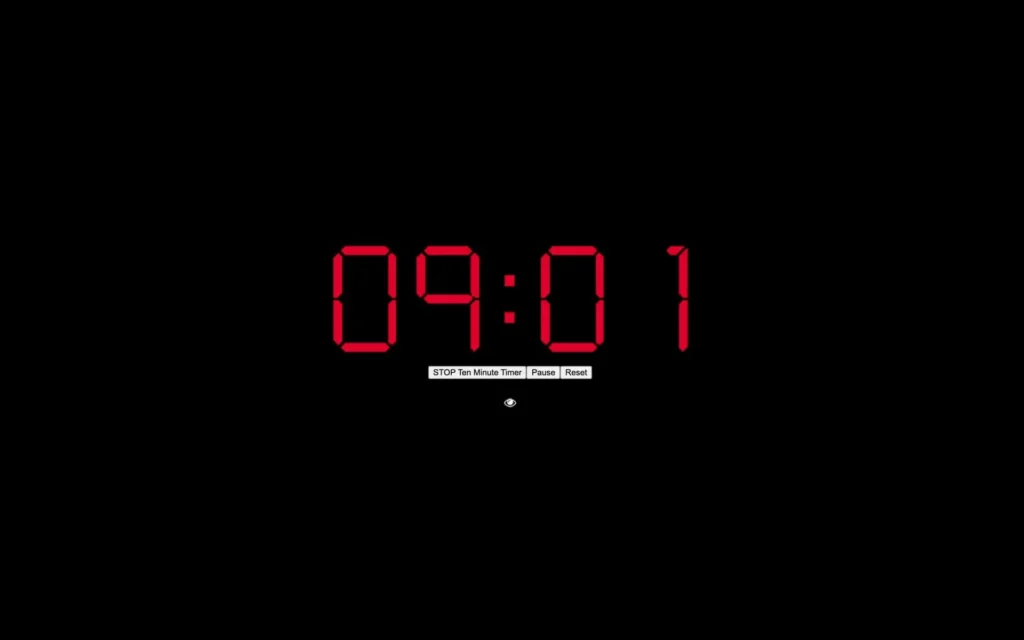
This site claims to be the original online alarm clock, established in 2006. It leans heavily into a retro aesthetic, often featuring a bright red digital display reminiscent of 1980s bedside clocks. It is bare-bones, functional, and surprisingly feature-rich if you dig into the menus.
Features
- Backgrounds: Offers everything from “Matrix” code rain to aquarium loops.
- Radio Station Integration: Links to internet radio stations for news or music.
- Additional Tools: Includes timers, stopwatches, and countdowns.
Pros and Cons
- Pros: Highly visible numerals (good for those with poor eyesight); huge variety of backgrounds; robust uptime history.
- Cons: The website design feels very dated; ad-heavy interface can be distracting.
User Experience
“My grandfather uses this because the numbers are massive. He puts his laptop on the dresser and can see the time from bed without his glasses. It’s simple enough that he doesn’t get confused by menus.” — Tom R.
5. MetaClock: The Social Sleeper
Best For: People who need accountability.
MetaClock attempts to modernize the online alarm experience by integrating social features and detailed weather information. It aims to be a dashboard for your morning, not just a noise-maker.
Features
- Morning Dashboard: Displays weather, current time, and custom messages upon waking.
- Social Sharing: Option to post to Facebook that you are awake (an interesting accountability tactic).
- MP3 Uploads: Support for custom audio files.
Pros and Cons
- Pros: Provides useful information immediately upon waking; clean, modern interface; great customization.
- Cons: Requires more setup time than simpler clocks; social features may be unnecessary for many users.
User Experience
“I like seeing the weather right when the alarm goes off. It helps me mentally prepare for what I need to wear without having to check my phone and get sucked into scrolling social media.” — Priya M., Consultant
6. Onlive Clock: The Aesthetic Choice
Best For: Design-conscious users who want a screensaver-like experience.
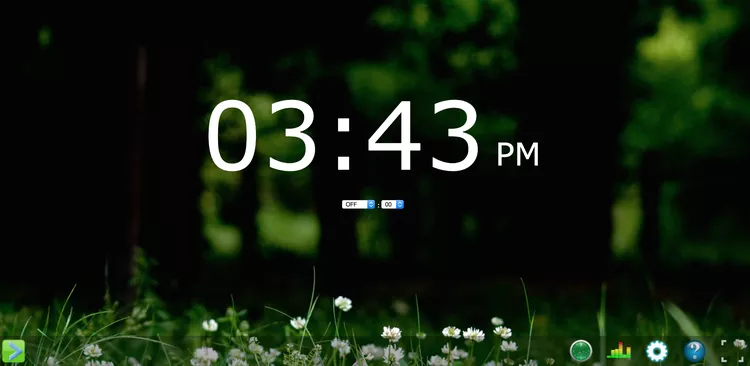
Onlive Clock focuses heavily on aesthetics. It acts almost like a screensaver, providing a beautiful, full-screen clock that looks great on a monitor even when you aren’t sleeping.
Features
- Radio Alarms: Wake up to live radio streams from around the world.
- Smart Settings: “Drop down” snooze button that is easy to hit with a mouse.
- Visual Customization: High-quality background images and font choices.
Pros and Cons
- Pros: Beautiful interface; radio feature is excellent for news junkies; user-friendly layout.
- Cons: Can be resource-heavy compared to text-only clocks; requires stable internet for radio streaming.
User Experience
“I leave Onlive Clock running on my second monitor while I work. It doubles as my Pomodoro timer and my nap alarm. It just looks better than anything else out there.” — Liam K., Graphic Designer
Best For: Heavy sleepers and chronic snoozers.
While not a single website, this functionality appears in several specialized web apps (often found on sites like “ClockDemo” or specific tool aggregators). The premise is simple: the alarm will not stop until you solve a math problem.
Features
- Cognitive Lock: You must input the correct answer to
24 + 58or similar equations to silence the noise. - Difficulty Levels: Usually ranges from simple addition to complex multiplication.
Pros and Cons
- Pros: Guaranteed to wake up your brain; impossible to “accidentally” turn off in your sleep.
- Cons: Can be incredibly frustrating; creating a stress response first thing in the morning isn’t for everyone.
User Experience
“I hated this clock for the first week. I actually unplugged my computer once just to shut it up. But… I haven’t been late for work in six months. It forces your brain to engage.” — David B., Engineer
8. Sleep.fm: The Gentle Waker
Best For: Wellness enthusiasts and light sleepers.
Sleep.fm (formerly utilizing similar tech to sleep cycle apps) focuses on the quality of the sound. It avoids harsh buzzers in favor of sounds that mimic nature or gradual transitions.
Features
- Nature Sounds: Rain, forest ambiance, and ocean waves.
- Talking Clock: Options to have a voice announce the time.
- Clean Design: Minimalist interface designed to reduce visual clutter before bed.
Pros and Cons
- Pros: Reduces sleep inertia; very relaxing interface; high-quality audio loops.
- Cons: Might be too quiet for very heavy sleepers; limited “bells and whistles.”
User Experience
“I use the ‘Rain’ setting. It helps me fall asleep, and then the alarm gently wakes me up with birds chirping. It feels much more natural than a digital beep.” — Chloe S., Yoga Instructor
9. Time.is: The Precision Tool
Best For: Those who need atomic-level accuracy.
Time.is is famous for synchronization. It checks your computer’s internal clock against atomic clock time and tells you exactly how far off you are. As an alarm, it offers precision and a stark, no-nonsense interface.
Features
- Atomic Sync: Ensures the displayed time is accurate to the millisecond.
- Large Display: Massive font size options.
- Dark Mode: Excellent implementation of dark mode for night use.
Pros and Cons
- Pros: The most accurate timekeeper on the web; no lag; professional feel.
- Cons: Very utilitarian; alarm features are secondary to the time-checking features; sound options are basic.
User Experience
“I work in finance and need to be up exactly when the markets open. Time.is is the only site I trust to be perfectly synced. It’s my go-to.” — Marcus W., Trader
10. Klock.Web: The Task Manager
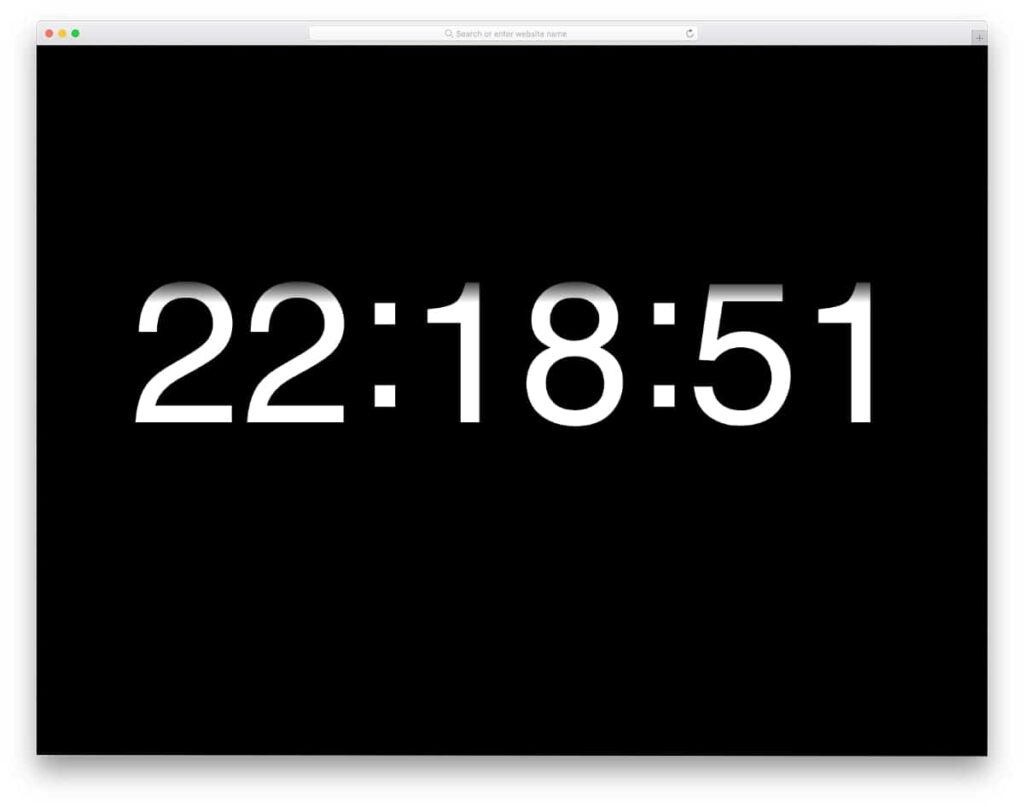
Best For: Productivity hackers.
Klock.Web (and similar emerging task-based clocks) integrates the alarm with your to-do list. The idea is that you wake up and are immediately presented with your first task of the day.
Features
- Task Input: Write your primary goal for the morning before you go to sleep.
- Visual Reminder: When the alarm goes off, your goal flashes on the screen.
- Timer Integration: Easily switch between alarm mode and focus timer mode.
Pros and Cons
- Pros: Connects waking up with purpose; helps set intentions for the day.
- Cons: Interface can be cluttered; putting pressure on yourself the second you wake up can lead to anxiety.
User Experience
“Typing ‘Run 3 miles’ into the clock before bed makes me feel obligated to do it when the alarm goes off. It’s a psychological trick, but it works.” — Elena G., Marathon Runner
Comparison Guide: How to Choose?
With ten solid options, how do you pick the right one? Here is a quick breakdown based on different needs:
For the Heavy Sleeper
If you could sleep through a hurricane, avoid Sleep.fm and go for Kukuklok (Military Trumpet sound) or the Math Alarm. You need something jarring or something that requires cognitive input to disable.
For the “Snooze” Addict
If you hit snooze 10 times a morning, vClock is a great option because of its customizable snooze durations, or MetaClock, which uses social pressure to get you up.
For the Music Lover
AlarmDJ is the undisputed winner here. The ability to pull from YouTube’s endless library means you will never get bored of your wake-up tone.
For the Traveler
Time.is or OnlineClock.net are best for travelers because they are lightweight, load instantly even on slow hotel WiFi, and handle time zone changes effectively by syncing with the local server time.
Unique Functionalities You Didn’t Know You Needed
While reviewing these clocks, we discovered a few hidden gems regarding functionality that can drastically improve your morning routine.
The “Internet Down” Safety Net
One major fear regarding online alarms is: “What if the WiFi goes out?”
Top-tier tools like vClock and Kukuklok load the alarm assets (the sound files and scripts) into your browser’s cache. This means that even if your internet cuts out in the middle of the night, the alarm will still trigger as long as the browser tab remains open and the computer has power.
Browser Tab Protection
Have you ever accidentally closed your alarm tab? Some of these tools now utilize a browser feature that pops up a warning (“Are you sure you want to leave this site?”) if you try to close the tab while an alarm is set. This small UI tweak saves users from accidental oversleeping.
Summary and Recommendations
Switching to an online alarm clock is more than just a backup plan; for many, it becomes a superior way to wake up. By utilizing the larger speakers of a laptop or desktop computer, you get a fuller sound. By forcing yourself to get out of bed to walk to your desk to turn it off, you physically break the sleep cycle.
- Top Pick Overall: vClock for its reliability and balance of features.
- Top Pick for Experience: AlarmDJ for the ability to wake up to video and custom playlists.
- Top Pick for Simplicity: Kukuklok for its fun, instant usability.
Give one of these a try tonight. Set your laptop across the room, choose a sound that resonates with you (or terrifies you, if necessary), and experience a more controlled, intentional start to your day.
Frequently Asked Questions (FAQs)
1. Do online alarm clocks work if the computer goes to sleep?
This is the most critical question. generally, no. If your computer goes into “Sleep” or “Hibernate” mode, the browser pauses, and the alarm will not sound. You must adjust your computer’s power settings to ensure the screen can turn off, but the system stays awake (often called “Prevent Sleep”).
2. Will the alarm work if I close the browser tab?
No. Online alarm clocks run inside the web page. If you close the tab or the browser window, the application ceases to exist. You must keep the tab open.
3. Do these clocks work offline?
Many of them do, provided you have loaded the page while connected to the internet. Once the assets (sounds and scripts) are loaded, they run locally in your browser cache. However, tools like AlarmDJ (which streams YouTube) require an active connection to work.
4. Are online alarm clocks safe?
Yes. They are simple websites running Javascript. They do not require you to download .exe files or install software, minimizing the risk of malware. However, be wary of excessive pop-up ads on lower-quality sites.
5. Can I use these on my smartphone browser?
Technically, yes. However, mobile operating systems (iOS and Android) are aggressive about freezing background processes to save battery. If your phone screen locks, the browser might stop running, and the alarm might fail. It is recommended to use native apps for phones and web-based clocks for laptops/desktops.
6. What happens if I have headphones plugged in?
If you leave headphones plugged into your laptop, the sound will likely play through the headphones, not the speakers. Unless you sleep wearing your headphones, this will result in a silent alarm. Always check your audio output before bed!
7. Does it drain my laptop battery?
Keeping a laptop awake all night will consume power. It is highly recommended to keep your device plugged into a charger overnight when using an online alarm clock to ensure it doesn’t die before morning.
Disclaimer: While online alarm clocks are reliable tools, technology can be unpredictable. For crucial events like flights or job interviews, we always recommend setting a secondary backup alarm.