A Feature Long Requested by Audiophiles
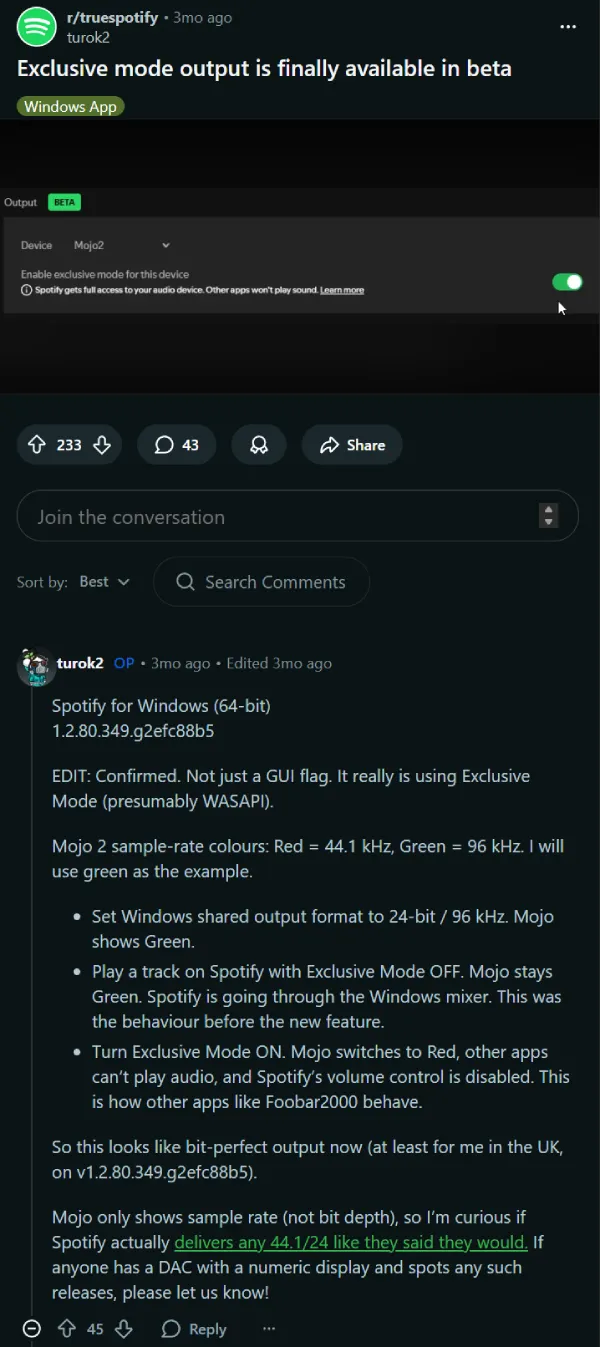
Exclusive Mode has been in development for some time. The feature first surfaced about three months ago in a beta build of Spotify numbered 1.2.80.349. At the time, only a small number of testers could see the option, indicating the company was running a limited A/B test.
Early users noted that the in-app “Learn more” link for the feature didn’t lead to any documentation and simply redirected to a Google search for “exclusive mode,” suggesting Spotify had not yet finalized the feature for public release.
Some users even enabled the hidden setting manually using customization tools like Spicetify or developer flags to test the feature before its official documentation appeared.
How Spotify Exclusive Mode Works
Spotify has now published an official support page explaining Exclusive Mode, confirming that the feature is currently available on the Windows desktop app.
When enabled, Exclusive Mode allows Spotify to take direct control of the selected audio output device, bypassing the Windows system mixer. This ensures the audio signal is delivered to the hardware without additional processing.
The feature is designed primarily for users with dedicated audio setups, such as:
- External DACs (Digital-to-Analog Converters)
- Professional audio interfaces
- Amplifier-based audio systems
However, Spotify notes that the feature does not work with Bluetooth devices, built-in speakers, or virtual audio devices.
New Output Controls in Settings
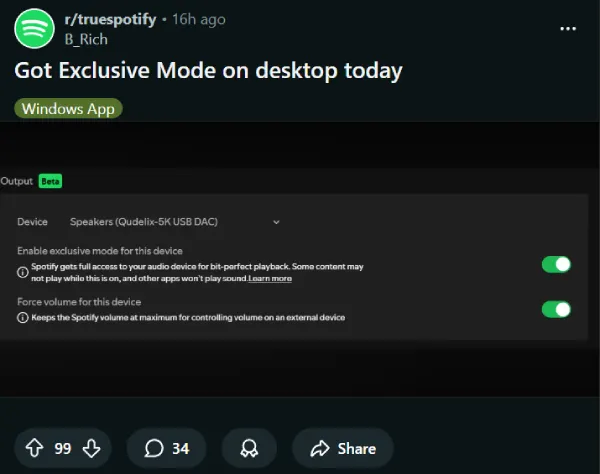
Screenshots shared online show the Exclusive Mode toggle located under a new “Output” section in Spotify’s settings menu. The section is currently labeled Beta.
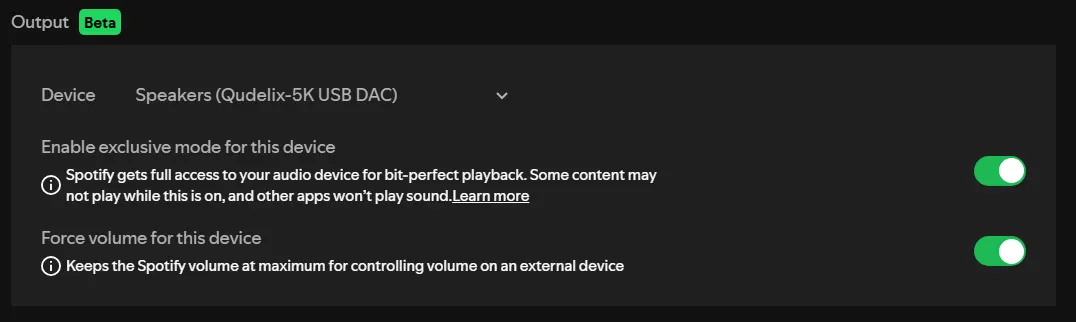
Alongside Exclusive Mode, Spotify has introduced another option called “Force volume for this device.” When activated, the app locks its internal volume to maximum, allowing users to control the final output level directly from their DAC, amplifier, or external audio interface.
This setup is particularly useful for listeners who use a dedicated hi-fi audio chain.
Feature Trade-Offs
While Exclusive Mode improves audio purity, it also disables certain Spotify playback features.
When the mode is active:
- Automix is disabled
- Crossfade is turned off
- Songs will play with a short gap instead of blending
Spotify also recommends disabling volume normalization and the built-in equalizer to achieve the cleanest possible output.
Spotify Catching Up With Hi-Fi Competitors
Other music streaming services such as Tidal have offered exclusive audio output for years. The feature has long been a key selling point for audiophile users who prioritize high-fidelity playback.
Spotify’s implementation could help close the gap for users who want a more direct audio signal path while staying within the platform’s ecosystem.
Gradual Rollout Continues
For now, the feature appears to be rolling out slowly. Not all Windows users can see the toggle yet, even on the latest stable versions of the app.
Spotify has not made an official public announcement about the feature, and the documentation currently does not mention support for macOS.
As the rollout expands, more users are expected to gain access to the new audio setting in the coming weeks.